Cen-Tech digital multimeter guide: settings, specs and safe limits
In this guide
What is a Cen-Tech multimeter?
A Cen-Tech multimeter is a digital multimeter sold under Harbor Freight's own Cen-Tech tool brand. It measures volts, resistance and DC current, plus a few extras, at a low price.
There isn't just one Cen-Tech meter. Harbor Freight has sold several over the years, and their limits are not the same. So the first step is to find the item number on the back label.
This guide covers the two you're most likely to have. It sits in our electrical hub, and more about the store is on our Harbor Freight brand page.
Which Cen-Tech meter do you have?
| Spec | 9-Function, item 59410 (current) | 7-Function, item 69096 (older) |
|---|---|---|
| Safety rating | CAT III 600V with probe covers on; CAT II with covers off | None listed in the manual |
| AC volts | Up to 600V, 40 to 400 Hz | 200V and 750V ranges, 45 to 450 Hz |
| DC volts | Up to 600V | Up to 1000V |
| DC current | 600µA to 600mA, plus 10A | 200µA to 200mA, plus 10A |
| AC current | No | No |
| Resistance | Up to 60 MΩ | Up to 2000 kΩ |
| Extras | Capacitance, diode, continuity beep, battery test, non-contact voltage | Diode, transistor (hFE), battery test |
| Display | 6000 count, backlit | 3-1/2 digit LCD |
| Fuses | FF 10A 600V and FF 0.6A 600V | One 500mA/250V fast-acting |
| Battery | 2 × AAA | One 9V |
| Listing | ETL; 90-day warranty | Not stated |
Figures come from Harbor Freight's product page and its two manuals. Prices and the lineup change, so check the item number on Harbor Freight's site before you buy.
Older models, such as the 37772 and 98674, have their own manuals. Harbor Freight files them by item number, so match the number on your label.
How to set up a Cen-Tech multimeter
- Read the manual for your item number. The jacks and ranges differ by model.
- Check the meter and leads. The 59410 manual says not to use it if the leads are damaged or dirty, the battery is low or the battery cover is open.
- Plug in black first. Black lead in COM. Harbor Freight says to connect the COM lead first and remove it last.
- Pick the red jack for the job. Volts and ohms use the main input jack. Big currents use 10A.
- Set the dial before you touch anything. Both manuals say not to switch modes while the meter is connected.
How to use a Cen-Tech multimeter to check voltage
DC volts: batteries and tool packs
- Turn the dial to DC volts. On the 69096, start at the 1000V range if you don't know the voltage, then step down.
- Red probe to plus, black probe to minus.
- Read the display. On the 59410, a minus sign means the leads are reversed.
To check a car battery, use DC volts. Don't use the battery test setting. Both manuals limit it to small 1.5V and 9V cells. Our guide to how many cells are in a 12-volt battery shows what a healthy reading looks like.
AC volts: outlets (59410 only, in our view)
The 59410's rating covers home outlets if the probe covers stay on. The 69096 manual lists no CAT rating, so we would not put it in an outlet. More on that below.
- Turn the 59410 dial to AC volts.
- Prove the meter on an outlet you know works. Expect about 120V.
- Test the outlet you care about.
- Test the known outlet again.
Steps 2 and 4 are the live-dead-live check from NFPA 70E. If the meter fails either one, its readings can't be trusted. Our guide to testing for live voltage walks through it in full.
Resistance and continuity
Turn off and unplug first. Both manuals say never to measure resistance on a live circuit.
- Turn the dial to ohms or continuity.
- Touch the probes across the fuse, cord wire or switch.
- On the 59410, a beep means less than 30 Ω. "OL" means open.
On the 69096, a lone "1" on the display means the value is over the range. Move to the next higher ohms range. Our continuity test guide covers extension cords step by step.
DC current
Current runs through the meter, so it goes in series with the load. Turn the power off before you connect, then turn it back on.
- 59410: red lead in the input jack under 600mA, or in 10A above it. If you're not sure, start in 10A.
- 69096: start in 10A. If the reading is under 0.2A, move to the center jack and the 200mA range.
Never touch the probes across an outlet or a battery while the dial or a lead is set for amps.
Non-contact voltage (59410)
Turn the dial to NCV and hold the meter near a wire. More dashes and a faster beep mean a stronger field. Harbor Freight's manual warns that voltage may still be present with no signal. Don't rely on NCV alone.
When not to use a budget meter on mains power
A low price isn't the problem. The rating is. A CAT rating tells you how big a spike the meter can take. Fluke sorts test spots into CAT II (plug-in loads and far outlets), CAT III (the panel and nearby circuits) and CAT IV (the service and meter base).
The 69096's own specs explain our caution. Its AC range goes to 750V, but its only listed fuse is rated 250V. The manual also lists no fuse for the 10A jack. Harbor Freight's own advice in that manual is that only a licensed electrician should work on high-voltage circuits.
If your Cen-Tech meter reads wrong
- Reads 0 on amps. The fuse is the usual suspect, or the lead is in the wrong jack. See multimeter reads zero or OL.
- Readings drift or jump. Replace the battery. Harbor Freight says performance can vary with battery condition.
- Shuts off mid-test. The 59410 turns itself off after about 15 minutes idle. Hold Hold/Select while you switch it on to disable that.
- Won't read a diode. The 59410 shows "OL" if the leads are reversed or the drop is over 2.1V.
Harbor Freight's 59410 manual also says to have the meter calibrated every year. Few homeowners do. Checking it on a known outlet or a fresh battery is the practical step.
We read the same three sources with a Cen-Tech 59410 and a Klein MM700.
Cen-Tech vs a name-brand meter
On paper, the 59410 covers the same home jobs as many pricier meters. The gaps show up in the rating, the warranty and the extras. It's CAT III 600V and comes with a 90-day warranty.
Our Klein MM700 spec guide shows what you get by paying more: CAT IV 600V, True RMS, a LoZ mode for ghost voltage and a 2-year warranty. If you have an older needle meter, see how to use an analog multimeter.
New to meters in general? Start with how to use a multimeter. We'll compare meters side by side in best multimeter for DIY, and the battery runtime calculator helps with tool packs.
What you'll need
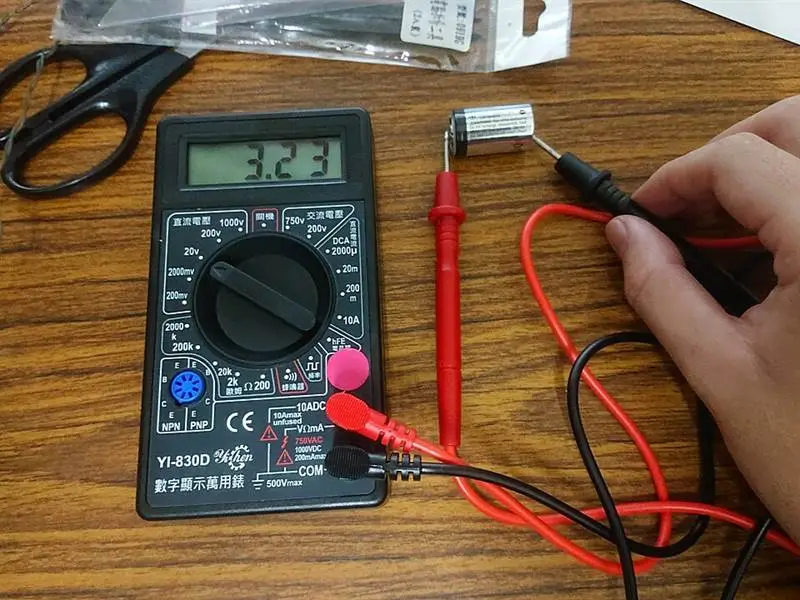
- Cen-Tech multimeter and its manual: Match the manual to the item number on the meter's back label
- Fresh batteries: 2 × AAA for the 59410; one 9V for the 69096
- Test leads in good shape: 59410: keep the probe covers on for CAT III work
- Spare fuses of the same rating: 59410: FF 10A 600V and FF 0.6A 600V
- Small Phillips screwdriver: For the battery and fuse covers
- Safety glasses: Harbor Freight's manuals call for ANSI-approved eye protection
Key takeaways
- Find the item number on the label first. The 59410 and the older 7-function 69096 have very different safety limits.
- The 59410 is rated CAT III 600V with the probe covers on and CAT II with them off. Never use it above 600V or in the panel.
- The 69096 manual gives no CAT rating and one 500mA/250V fuse. Keep it to batteries, fuses, cords and low-voltage work.
- Neither meter reads AC amps. Current is DC only, with the meter in series.
- The 59410's non-contact mode can miss voltage. Harbor Freight's manual says not to rely on it alone.
Questions people ask
Is a Cen-Tech multimeter safe to test a wall outlet?
The 59410 is rated CAT III 600V with its probe covers on, which covers home outlets. The older 7-function meter's manual lists no CAT rating, so we would keep it off outlets. Either way, check the meter on a known outlet before and after you test.
Where can I find the Cen-Tech P37772 manual?
Harbor Freight files its manuals by item number. Read the number on your meter's back label and look it up on Harbor Freight's site, or call its tech line at 1-800-444-3353. Don't use another model's manual: the ranges, fuses and limits differ.
Why does my Cen-Tech multimeter read 0 on amps?
The fuse has likely blown, or the red lead is in the wrong jack. On the 59410, use the 10A jack above 600mA. On the 69096, current below 200mA goes in the center VΩmA jack.
How do I turn off auto power off on the 59410?
Hold the Hold/Select button while you turn the meter on. The APO icon goes away. Normally it shuts off after about 15 minutes idle.
Can a Cen-Tech meter test a car battery?
Yes, on DC volts, not on the battery test setting. Both manuals limit the battery test to small 1.5V and 9V cells. The 69096 manual warns that a car battery on that setting can damage the meter or hurt you.
Sources
- CEN-TECH 9-Function Digital Multimeter with Audible Continuity, item 59410: specs, CAT III 600V, ETL, 90-day warranty (Harbor Freight product page)
- CEN-TECH 59410 owner's manual and safety instructions: specs, fuses, functions, NCV warning, CAT III/CAT II probe covers (Harbor Freight)
- CEN-TECH 7 Function Digital Multimeter, item 69096, operating instructions (Harbor Freight, 2011; copy hosted by The Maker Station wiki)
- Multimeter guide: CAT II, III and IV explained, and the meter safety checklist (Fluke)
- NFPA 70E, Standard for Electrical Safety in the Workplace (2024), 120.6: verifying absence of voltage (NFPA)
Change log: Nov 6, 2026: Rewritten from the 2024 archive post. Replaced generic advice with Harbor Freight's own specs for the 59410 and 69096, added CAT rating limits, fuse ratings, the NCV warning and when not to use a budget meter on mains.